RemCam in production: a managed Linux server, viewed and controlled entirely through the NX Witness client.
The server is a camera
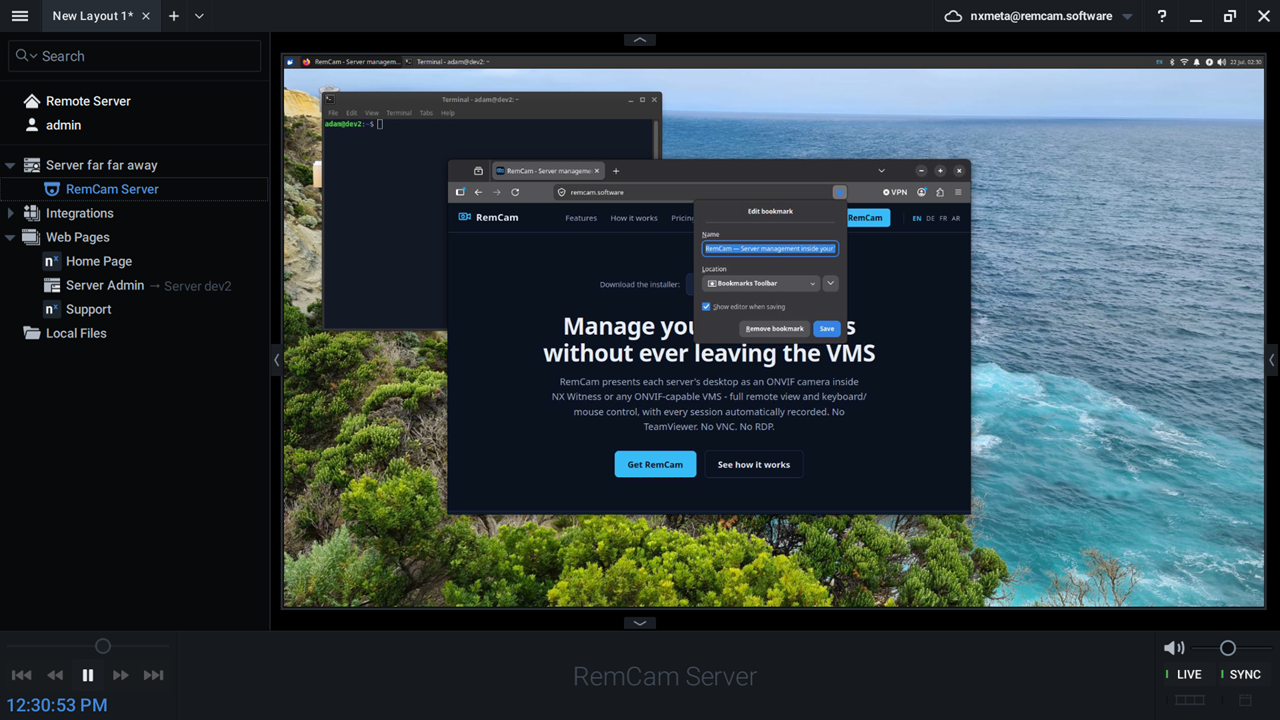
The managed server's desktop as a live feed in an NX Witness layout, with the recording timeline underneath. The resource tree shows the RemCam camera and the Server Admin web page it creates during install.
Sign in with a certificate
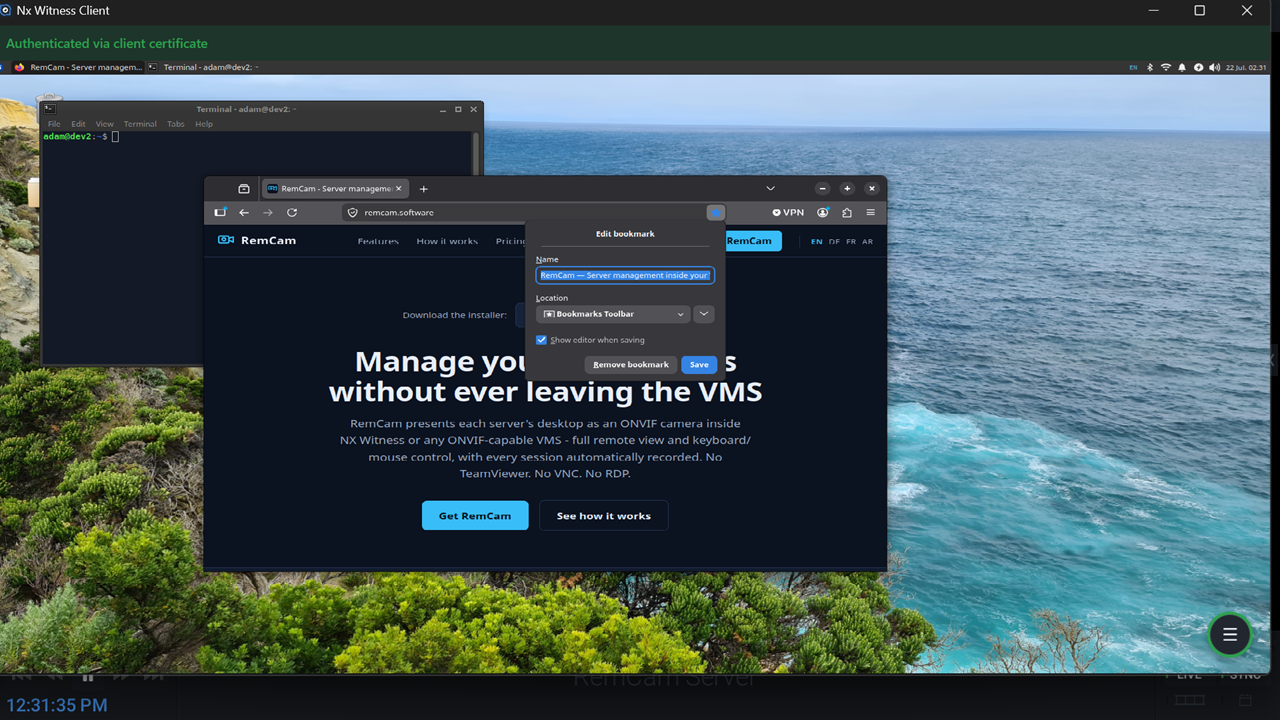
Opening Server Admin from the NX client: the operator is authenticated by their pinned client certificate. No password prompt unless two-factor access is enforced.
The console menu
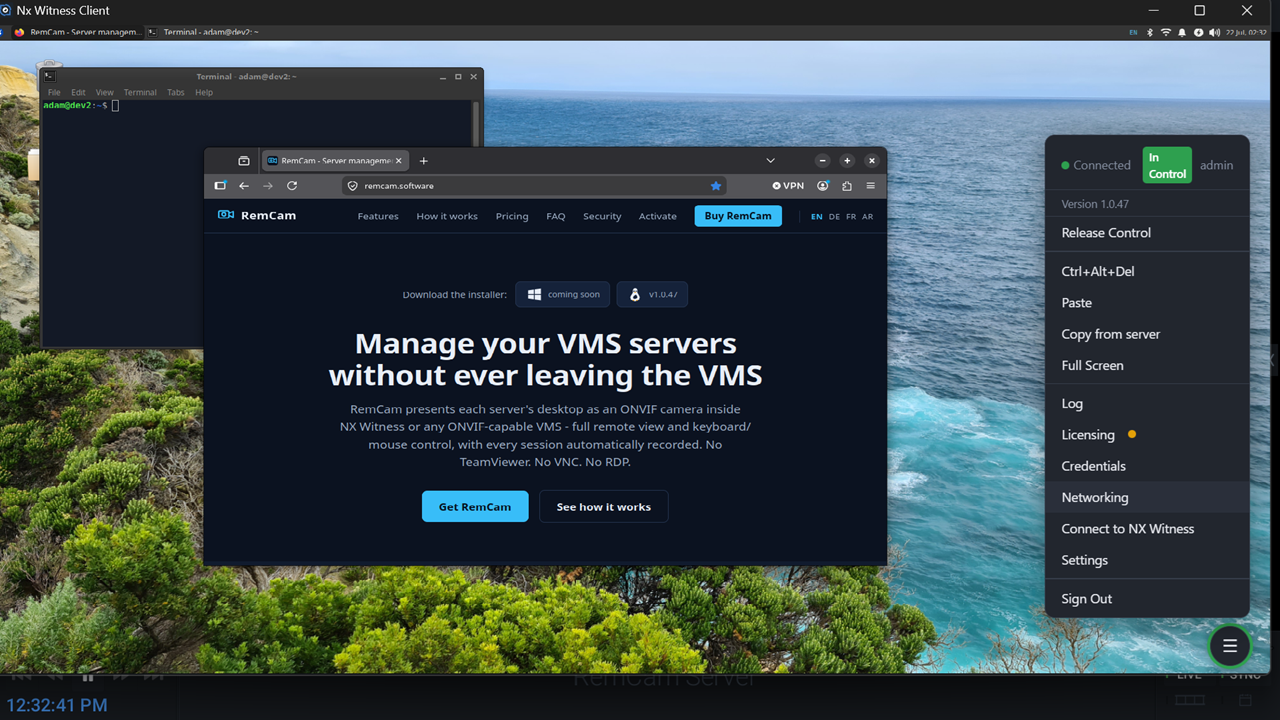
Connected and in control: Ctrl+Alt+Del, two-way clipboard, full screen, the event log, and the Licensing, Credentials, Networking and Settings panels are one click away.
Real administration, on the record
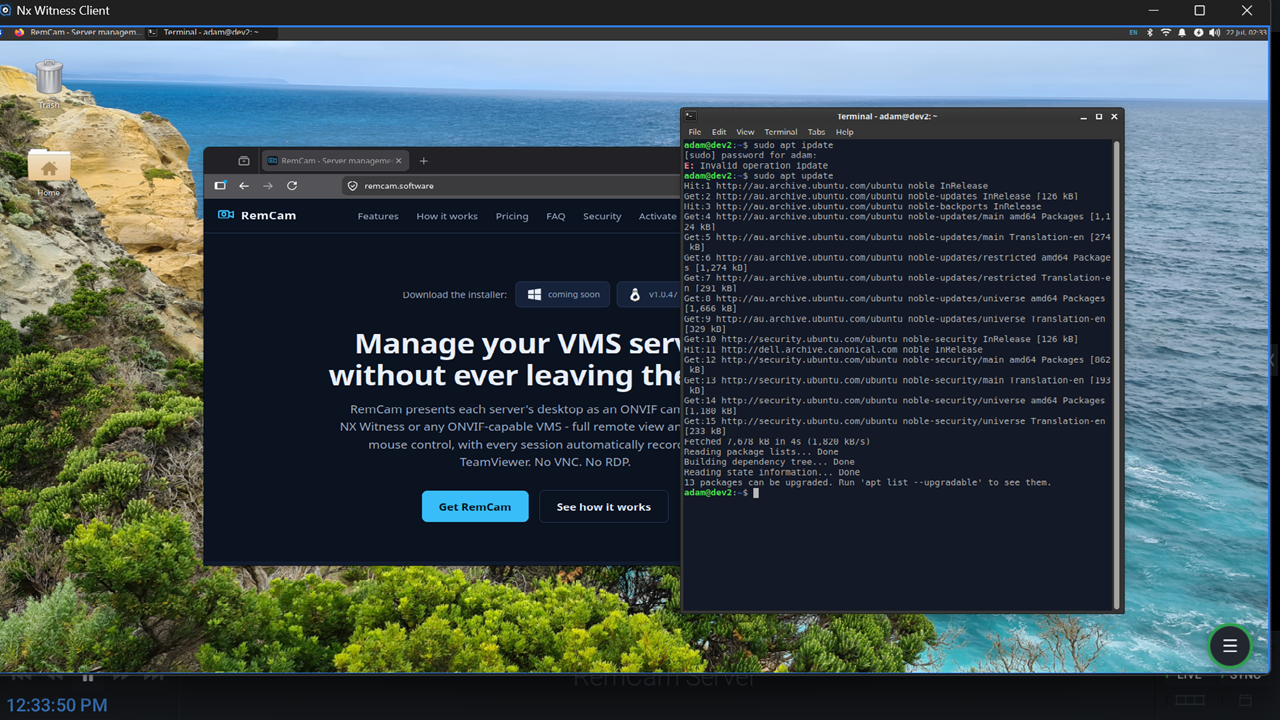
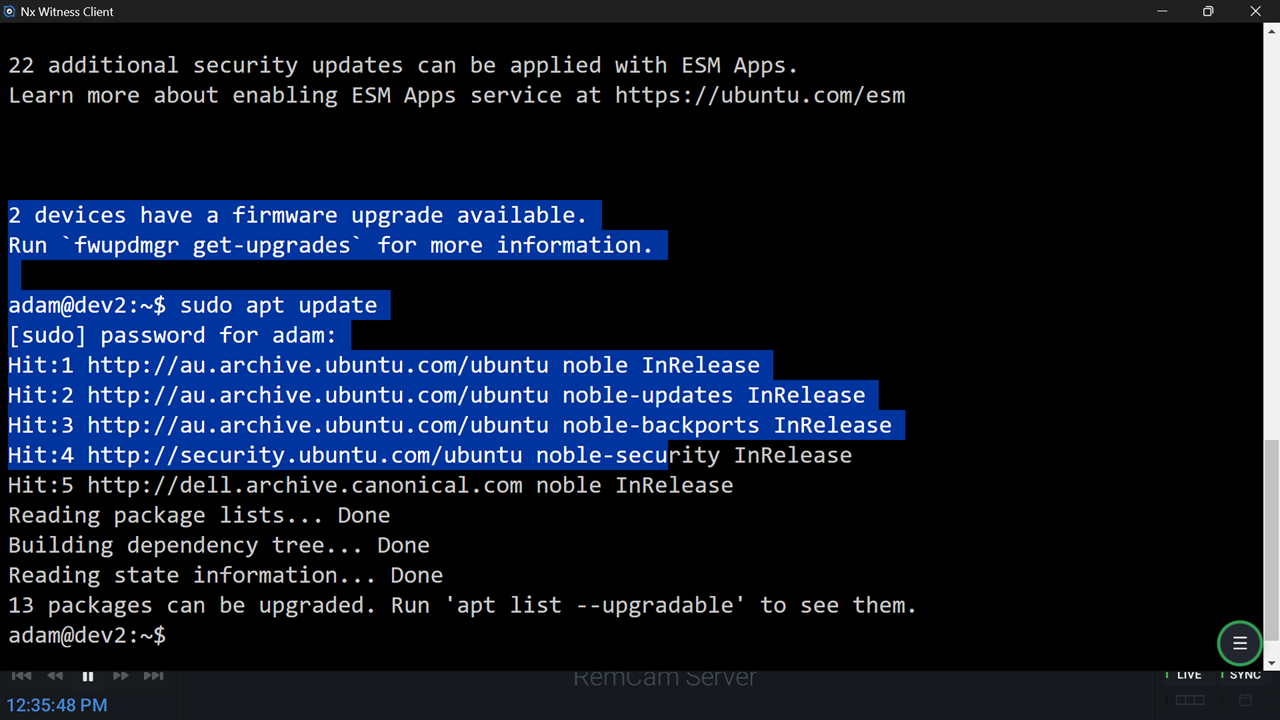
A terminal session on the server through the console, with full keyboard and mouse. Everything here happens inside the NX client, and the VMS is recording it.
Text-console mode
Headless server? The console shows the Linux text console, with mouse select-to-copy. No desktop environment required.
Accounts and pinned certificates
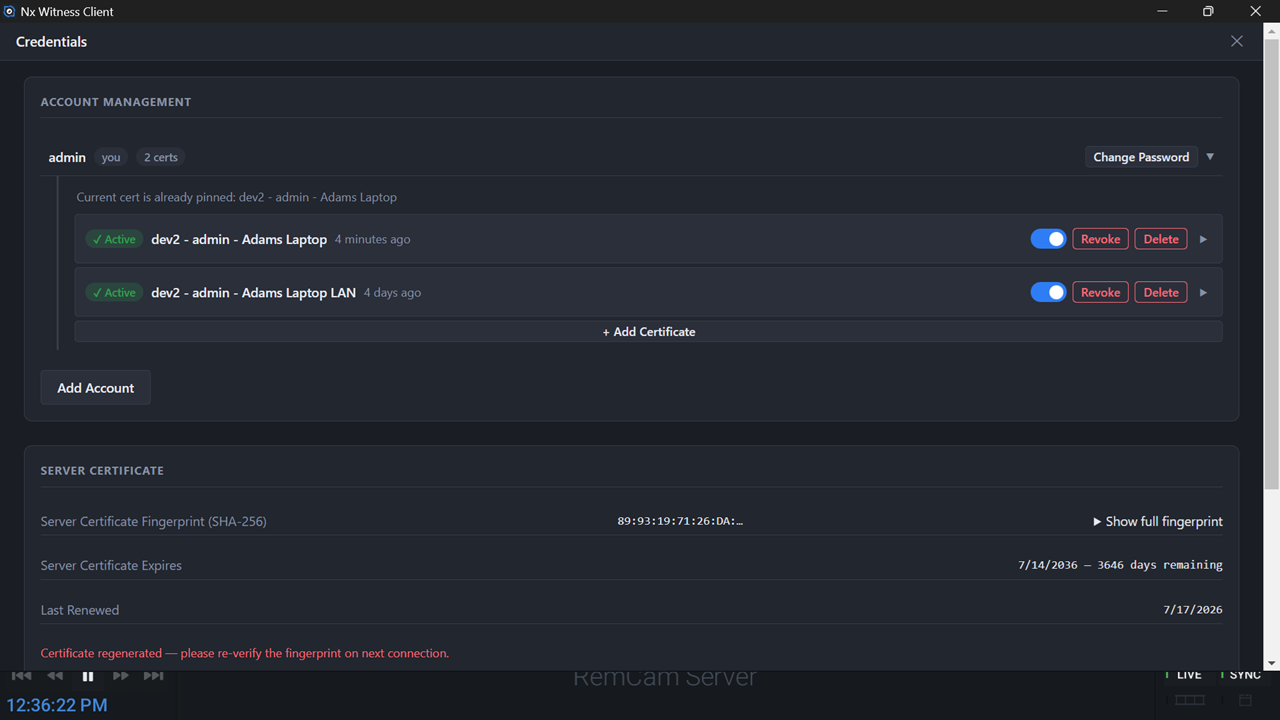
Per-operator, per-device client certificates with one-click revoke, plus the server certificate's SHA-256 fingerprint and expiry: the material behind certificate sign-in and 2FA.
Turn admin activity into alerts
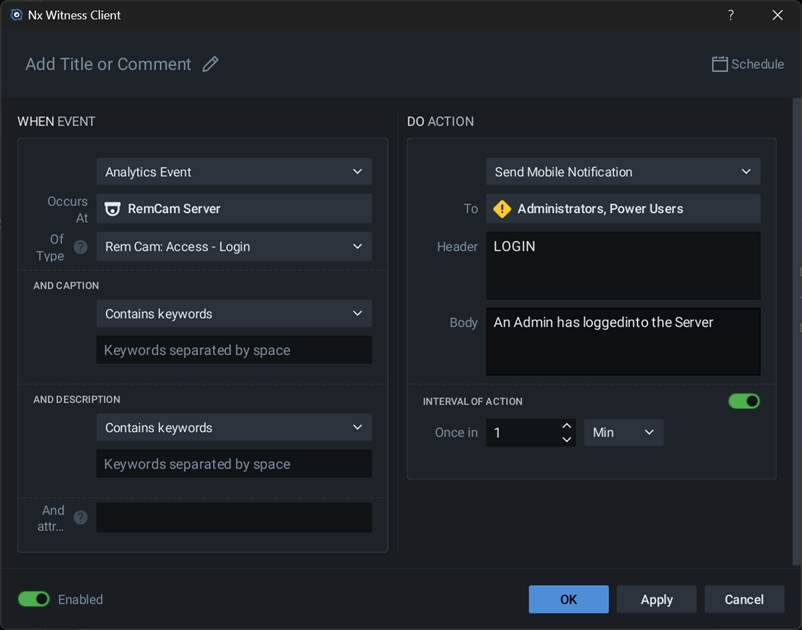
RemCam publishes ONVIF events, so ordinary NX rules can act on them. Here: a mobile notification to administrators whenever someone signs in to the server console.